Akron Mayor Shammas Malik has introduced a new CodeRED notification system designed to keep residents updated on non-emergency issues — everything from water boil advisories to road closures, snow and ice updates, warming center activations, trash delays, and more.
The service is free, and residents can choose exactly what kinds of alerts they want and how they want to receive them: by text, phone call, email, or all three.
“This system helps us reach more residents with the information that matters,” Mayor Malik said.
CodeRED alerts will cover things like building closures, community events, water main breaks, leaf pickup updates, parking bans, and other city service changes. More alert categories may be added over time.
Signing up is simple:
Visit the online portal: https://accountportal.onsolve.net/akronoh
Or text “AKRONOH” to 24639 to get a link to register
The city says the goal is to make important updates faster, clearer, and easier for every Akron household to access.
Step by step instructions:
Creating an Account
1. On the portal’s login page, click “Register” under the “Need an Account?” section.
2. Fill in the required fields:
- First Name
- Last Name
- Create a Username
- Choose a Password
3. Verify your email address using the one-time code sent to your inbox.
4. After verification, you’ll be prompted to complete your account details.
Setting Up Your Profile
5. Language
- Select your default language from the list. All notifications can be received in any of the languages listed.
6. Device Details
- Add one or more phone numbers and/or email addresses.
- Choose your preferred notification methods: voice calls, text messages, emails or any combination of those.
7. Location Details
- Enter a physical address – must be in Akron
- Use your home address if you live in Akron.
- Use your work address if you work in Akron but live elsewhere.
8. Notification Groups
- Select the types of alerts you want to receive.
- Hover over the info icon next to each group for a description of the alert type.
9. Click Save at the bottom right of the page to store your settings.
10. You can log in to the portal at any time to update your information.
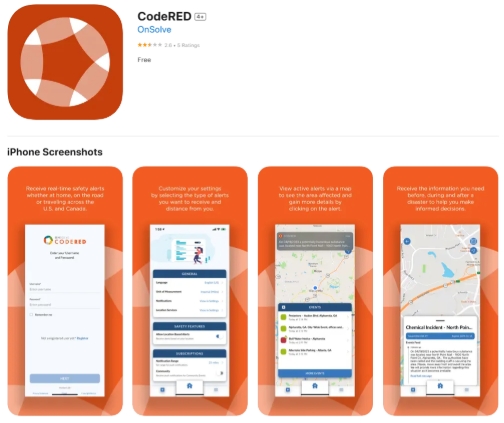
You can also download the CodeRed app to manage your account.
CodeRed Recipient Mobile App
1. Download “CodeRed” (screenshot below) in your app store
2. When you open the app, login with the same username and password you created in the account portal
3. When your phone asks if you want to allow location, make sure to select “allow”
4. If you do not allow location, you will not receive push notification alerts if an alert is sent out in the area that you are currently in
If you have any questions or issues, you can reach out to 311.